
Fixing AI hallucinations when drafting long-form internal memos
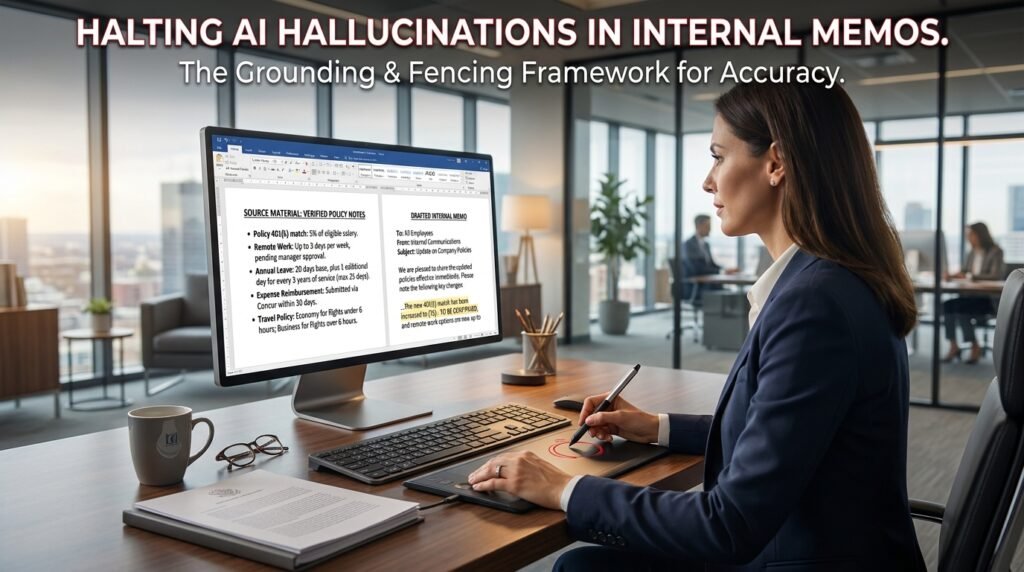
The fix for a memo full of invented facts is mostly about what you take away and forbid, not what you add. Two levers do almost all the work: ground the draft in your own source material, and fence it with clear commands about what the model must not do. Get those right and the made-up policy numbers and fake effective dates mostly stop showing up.
Why a model invents company facts
A model doesn’t know your company. It predicts text.
Ask for a memo about your refund policy and the model reaches for the most statistically likely version of a refund policy, not yours, because yours was never in its training data. It then writes that guess in the same confident tone it uses for things it genuinely knows. Internal memos are the worst case for this. The facts that matter, the exact policy number and the approver’s name, are private and unguessable, so the model has no way to retrieve them and manufactures something plausible instead.
You can watch it happen. Ask a model for your company’s time-off policy with no source attached, and it will confidently produce a number of days, a carryover rule, and an accrual rate, all formatted like a real policy. None of it came from your handbook. It came from the average of every time-off policy the model has seen, dressed up to look like yours.
This is why ‘be accurate’ does nothing. The model already believes it’s accurate. The fix has to change what it’s working from, or pin down what it’s allowed to say.
Three kinds of memo hallucination, and why they hide
Not all invented content looks the same.
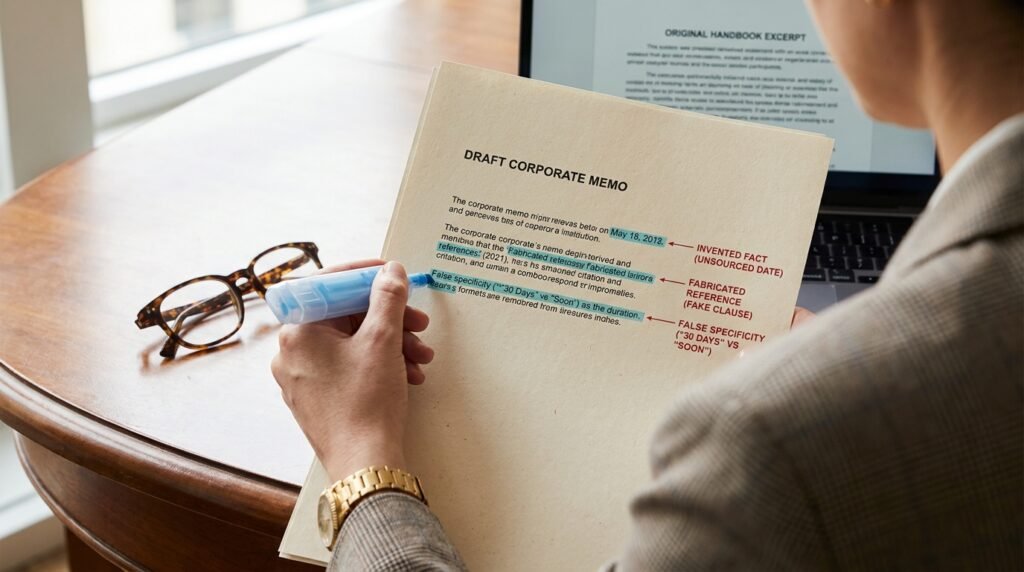
It helps to name what you’re hunting, because the three types hide in different places.
- Invented facts. A figure, date, or policy detail the model had no source for and supplied anyway. The most common type, and the easiest to catch once you check the numbers.
- Fabricated references. A quoted clause, a cited document, or a named precedent that sounds real and doesn’t exist. Dangerous, because a quotation reads as authority.
- False specificity. The sneakiest one. You wrote ‘soon’ in your notes and the model rendered it as ‘within 30 days.’ It didn’t invent a topic. It sharpened a vague input into a precise claim you never made.
False specificity catches careful people, because the memo is technically about the right things. The model just quietly upgraded your maybes into commitments.
A troubleshooting checklist for invented facts
When a draft comes back with something wrong or made up, I work down this list. The cause is almost always one of these.
Symptom in the draft | Likely cause | The prompt fix |
Specific policy details that are wrong | No source given, so it guessed | Paste the real policy; say ‘use only this text’ |
A confident date or figure you never gave | It filled a gap to sound complete | Add: ‘if a date or number isn’t in my notes, write [TK]’ |
A quoted rule that doesn’t exist | It invented a plausible-sounding clause | Forbid quotes unless they appear in the source |
Names or titles slightly off | It pattern-matched a likely name | Provide exact names; ban any not listed |
Extra sections you didn’t ask for | Open-ended prompt invited padding | Specify the exact sections and nothing more |
Right facts, wrong emphasis | No priority stated | Name the one message the memo must land |
The highest-value row is the first. Most fabrication in internal documents comes from asking a closed-book model an open-book question.
Ground the memo in your own source
Closed book guesses. Open book quotes.
The biggest single fix is to stop asking the model to recall what it can’t know and start handing it the facts. Paste the actual policy, the real figures, the meeting notes, then tell it to write only from that text. That’s the gap between ‘write a memo about our travel policy’ and ‘using the travel policy pasted below, and nothing else, draft a memo that explains the change to staff.’
A grounding prompt for any fact-bound memo Using ONLY the source text between the quote marks, draft an internal memo. Do not add any fact, figure, date, or policy detail that is not in the source.
If something needed for the memo is missing from the source, insert [TK] and list what’s missing at the end.
Source: “”” [paste the real policy / notes here] “”” |
The [TK] convention is borrowed from newsrooms, where it marks ‘to come,’ a fact still to be confirmed. It hands the model a safe place to admit a gap instead of papering over it with a guess. After the draft, you search for [TK] and fill those in by hand.
Why long memos are the danger zone
Length is cover for a fabrication.
A two-line answer gets read closely. A two-page memo gets skimmed, and one invented sentence sits comfortably among twenty correct ones. The model also tends to pad a long memo toward a familiar shape, adding the sections it expects a policy memo to have, whether or not you gave it content for them. Those auto-added sections are where invented detail breeds, because the model created the container and then felt obliged to fill it. The longer the document, the more you should lock its structure down in advance.
Lock the structure before you ask
Decide the shape; don’t let the model decide it.
Since the auto-added sections are where invention breeds, hand the model the outline instead of letting it pick one. List the exact headings you want and add a simple rule: if there’s no content for a section, leave it out rather than fill it. I’ll often paste a four-line skeleton and say ‘use these headings, in this order, and no others.’ It feels rigid. That rigidity is the point, because every open slot you leave is an invitation to improvise.
Draft in two passes: facts first, prose second
Separate gathering the facts from writing them up.
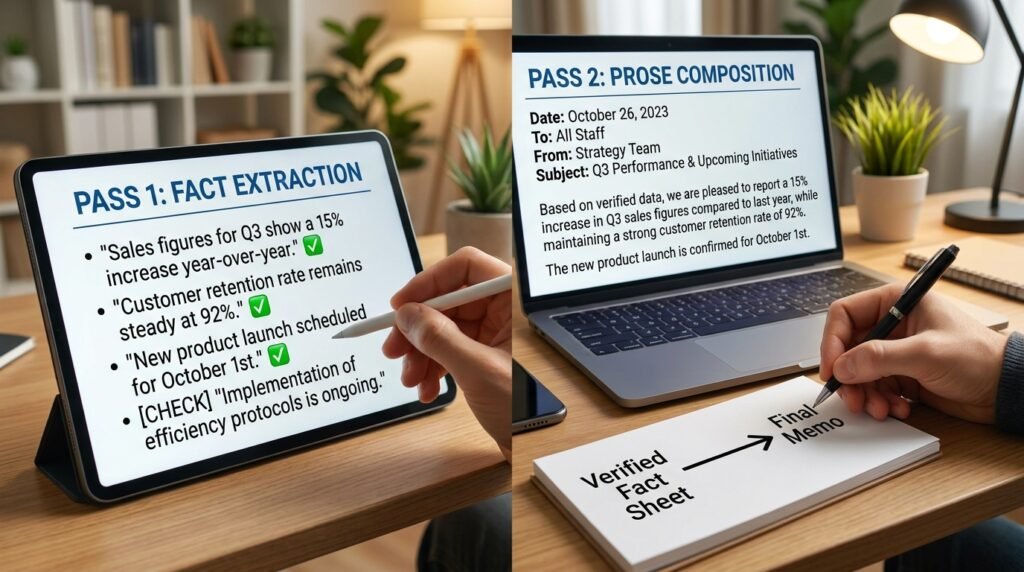
When a memo really matters, I split the job. The first pass produces no prose. Its only job is to pull a clean, checkable list of facts out of my source. The second pass turns that approved list into prose, and only that list. Because the model writes from a fact sheet I’ve already verified, there’s far less room for it to wander.
A two-pass workflow for high-stakes memos PASS 1 (extract, do not write): From the source below, list every fact relevant to the memo as short bullets. Quote the source. Add nothing. Mark anything ambiguous with [CHECK].
PASS 2 (write from the approved list only): Draft the memo using ONLY the bullet list I approved. Do not introduce any fact that isn’t on that list. |
The gap between the two passes is where you do the human work: read the extracted facts, then fix or delete anything marked [CHECK]. By the time the model writes, the risky decisions are already made.
Negative commands that work, and ones that don't
‘Do not make things up’ is a weak instruction on its own, because the model doesn’t know which of its statements are made up. These commands land better when they’re specific and paired with what to do instead.
Weak command | Stronger version that holds |
Don’t make anything up | Use only facts in the source; mark gaps with [TK] |
Be accurate | State no date or number that isn’t in my notes |
Don’t add extra info | Write only these four sections, in this order |
Keep it factual | No quotes unless they appear word-for-word in the source |
Don’t guess | If unsure, write ‘needs confirmation’ instead of an answer |
The pattern is the same every time. A bare prohibition leaves the model guessing where the line sits. A specific one tells it exactly what to do when it reaches the boundary, which is the moment fabrication usually happens.
A fact-check pass built for memos
Treat every number, date, and name as guilty until checked.
Long memos hide fabrications inside otherwise correct paragraphs, which is what makes them risky. A reader trusts the whole document because most of it is right. My read-through targets the specific things models invent.
- Highlight every number, date, and dollar figure. Confirm each against your source. These are invented most often.
- Check every proper noun: people, teams, product names, policy numbers.
- Search the draft for any [TK] or [CHECK] markers and resolve them before sending.
- Read any sentence stated as a firm rule and ask: did I actually provide this, or did the model supply it?
This takes a few minutes on a two-page memo, and it isn’t optional for anything read as official. A wrong figure in a casual chat is a shrug. A wrong figure in a policy memo is a problem with your name on it.
One example, before and after
Here’s the kind of swap that fixes it in practice.
The prompt that fabricated Write an internal memo announcing our new remote-work policy. Include the key rules and the effective date. |
This produced a tidy memo with a specific effective date, a maximum number of remote days, and a named approval process. All invented. The model had no policy to work from, so it built a believable one.
The grounded version Using ONLY the policy notes below, draft an internal memo announcing the remote-work change. Do not invent any rule, date, or number. If the notes don’t cover something, write [TK].
Notes: “”” – Effective: notes say “start of next quarter” (no date) – Up to 3 remote days per week – Manager approval required “”” |
Same model, same task. The second draft used ‘start of next quarter,’ capped at three days, and flagged the exact date as [TK], because that’s all the notes supported. The fabrication didn’t happen, because there was no gap left for it to fill.
Questions people actually ask
Does a newer or higher-end model stop hallucinations?
It reduces them but doesn’t end them, and it can make them harder to catch, because a stronger model writes a more convincing wrong answer. No current model reliably knows the limits of its own knowledge. Grounding and checking still matter no matter which model you use.
Can I just turn the ‘temperature’ down?
Lower randomness makes output more predictable, but it doesn’t make the model know your private facts. A low-temperature model will still state an invented policy with full confidence; it’ll just do it the same way each time. Grounding in source text is the real control, not the randomness setting.
What about tools that cite sources or search the web?
Retrieval and citation features help a lot for public information, because the model quotes something real instead of recalling a blur. For internal memos the snag is that your private policies usually aren’t on the web, so the tool can’t retrieve them. You still have to supply the source yourself.
Why does it invent things even when I tell it not to?
Usually because the instruction was a bare prohibition with no escape route. If you say ‘don’t guess’ but still ask a question it can’t answer from what you gave it, you’ve left a gap and no approved way to flag that gap. Add the [TK] or ‘needs confirmation’ rule so it has somewhere honest to land.
Is a hallucination the same as a plain factual mistake?
Close enough to treat the same way here. The model is stating something with confidence that has no basis in its input. For a memo, the practical test has nothing to do with where the claim came from. What matters is whether you can confirm it against a real source. If you can’t, it doesn’t go in.
Build the habit on your next memo
Next time you draft an internal memo, gather the real source first, the policy text and the actual figures, and paste it in with one rule: use only this, and mark gaps with [TK]. Then run the fact-check pass on every number and name before it leaves your drafts. The work shifts from writing to checking, which is both faster and far safer for anything that carries your company’s name.

Hi I’m Muzammil Haqani. I’m a content creator and AI expert with 3+ years of experience exploring and writing about artificial intelligence and technology. Through this blog, I share tutorials, insights, and practical guides to help readers understand and use AI tools effectively in their everyday lives.