
How to build a support ticket triage system using basic AI keyword sorting
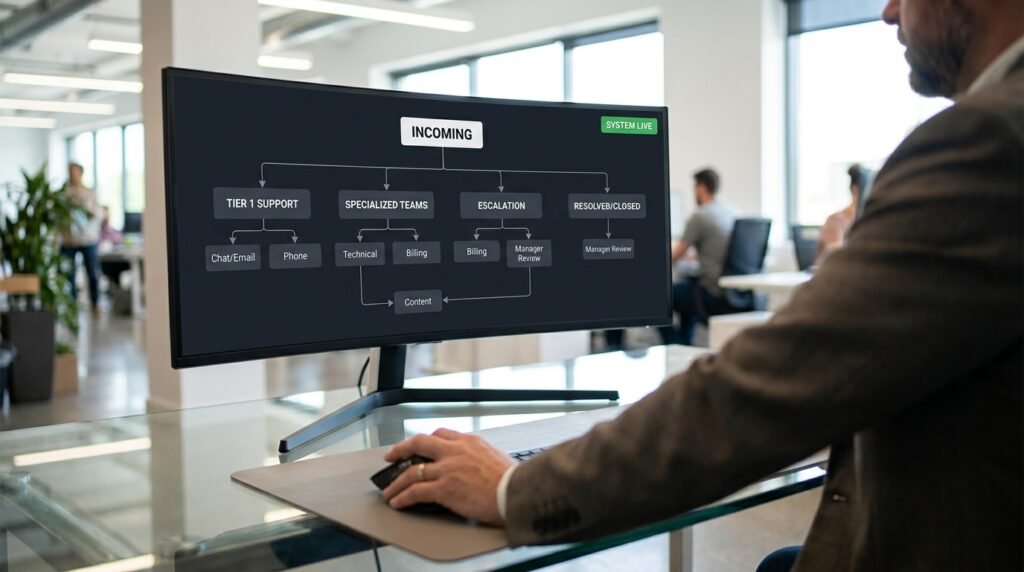
A triage system that sends tickets to the wrong team is worse than no system at all, because nobody trusts the routing and everyone re-reads everything anyway. The cure is a layered design: cheap keyword rules handle the obvious cases, AI handles the ambiguous ones, and a clear fallback bucket catches what neither can decide. Get the layering right and 80 percent of tickets route on rules alone, leaving the AI to earn its keep on the hard 20 percent.
Why pure keyword routing fails
Keywords match strings, not meaning.
Route on the word ‘billing’ and you’ll send a ticket that says ‘no billing problems, but the dashboard is broken’ to the wrong team. Route on ‘urgent’ and a customer who calmly types ‘this is critical’ slips past. Pure keyword rules work great for the 60 to 70 percent of tickets that are obvious and fail loudly on the rest. The temptation is to keep adding keywords until everything matches, and that’s how you end up with a rule list nobody can read or maintain. The right move is to stop trying to keyword-match the hard cases and hand them to a model.
Why pure AI routing fails too
Models are good at meaning and bad at obeying.
Hand every ticket to an AI router and you’ll get accurate categorization for the hard cases and a small percentage of confidently wrong routings on cases a regex would have nailed. Worse, AI routing costs per call and adds latency that adds up when you’re processing hundreds of tickets a day. The mistake is treating it as either-or. Keywords are cheap and predictable, AI is flexible and expensive. The right design uses each where it’s strongest.
The category-routing schematic
Here’s the layered shape that gets you predictable triage with reasonable cost.
Figure 1. Cheap rules first, AI for the hard cases, human for the doubtful INCOMING TICKET │ ▼ [LAYER 1] HARD KEYWORD RULES (cheap, fast) Sender domain or address eg. invoices@partner.com -> billing Subject contains unambiguous term eg. ‘invoice’, ‘refund’, ‘chargeback’ -> billing ‘password reset’, ‘login’ -> account ‘api’, ‘sdk’, ‘integration’ -> developer Match: route immediately and stop No match: continue │ ▼ [LAYER 2] URGENCY RULES (cheap, fast) Keyword cues: ‘outage’, ‘down’, ‘broken’, ‘cannot’ + key noun -> urgent flag VIP customer list -> urgent flag Set urgency separately from category │ ▼ [LAYER 3] AI CLASSIFIER (only on what’s left) Tickets that didn’t match a Layer 1 keyword Send to model with the team allowlist Returns: team, confidence, second_choice │ ▼ [LAYER 4] FALLBACK Low-confidence AI output or ‘other’ -> route to a ‘triage’ queue a human reads Never send to a team if you’re not sure │ ▼ ROUTED TICKET (with team, urgency, source layer) |
The order matters. Layer 1 is mostly free and handles the easy majority. Layer 3 is the expensive step but only runs on the residue. Layer 4 is the safety net: anything the system isn’t sure about lands in a queue a person sees, rather than being routed confidently to a team that didn’t need it.
Where to draw your keyword boundaries
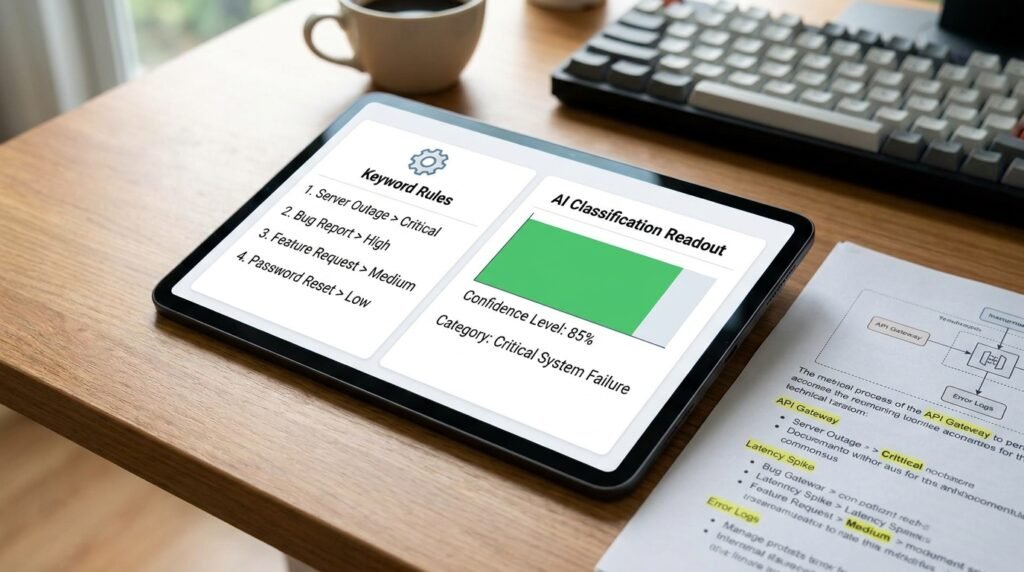
Good keyword rules are short, specific, and high-precision.
- Use sender domain or address when you can. Domain rules are nearly bulletproof and cost nothing.
- Use compound matches: ‘invoice’ AND ‘date’ beats just ‘invoice’, because the word alone shows up in unrelated tickets.
- Use negative keywords for known false positives: ‘invoice’ AND NOT ‘no invoice issue’.
- Don’t try to keyword-match feelings. ‘Frustrated’, ‘angry’, ‘help’ are weak signals that an AI classifier handles better.
- Keep the list under about 30 rules. Past that, maintenance gets harder than the AI handoff would have been.
The discipline is to design rules you’d defend as ‘wrong less than 1 in 100,’ and accept that they don’t cover everything. Coverage isn’t the goal of Layer 1. Precision is.
The AI classifier prompt
This runs only on tickets that didn’t match a hard rule, so the prompt can be focused.
The classifier prompt for the residue Classify the support ticket below into one of the teams in this allowlist. Use only these names.
TEAMS: billing payments, invoices, plans, refunds account login, password, profile, access technical bugs, errors, broken features developer API, SDK, integrations, webhooks feedback feature requests, suggestions other does not fit a team above
Output JSON: { team, confidence: low|med|high, second_choice, urgency: low|med|high, urgency_reason: string }
Rules: – If two teams fit, pick the one most clearly stated. – Use ‘other’ if nothing fits. Never invent a team. – Urgency comes from impact, not tone. ‘I’m frustrated’ alone is not urgent. ‘Site is down’ is.
Ticket: “”” [subject + body] “”” |
Two design choices keep this safe. The team names are pinned to an allowlist, so the model can’t invent a team that doesn’t exist in your support tool. And confidence comes back as a field, so Layer 4 can route low-confidence results to the human triage queue automatically.
Fallbacks that earn their place

Every triage system has cases it can’t decide. Your design has to admit it.
The ‘other’ bucket and the ‘low confidence’ bucket aren’t decoration. They’re the explicit places a ticket lands when neither layer was confident, and they have to route to a human. Without them, a confused ticket gets a confident wrong routing, which is the failure mode that erodes trust in the whole system. A small triage queue is the price of not lying about uncertainty, and it’s much smaller than the queue of misrouted tickets you’d otherwise have.
The numbers you should watch
Without these, you can’t tell whether the system is improving or rotting.
- Routing rate per layer: what percentage of tickets each layer handled. A healthy distribution is 60 to 80 percent Layer 1, the rest Layer 3, with Layer 4 catching a small slice.
- Misroute rate per layer. Have the receiving team flag ‘wrong team’ on tickets that landed in the wrong place. Watch the rate per layer, and tune the layer that’s failing.
- Time to first response. The triage system’s whole point is to get tickets to the right person fast, so this is the user-facing metric.
- Triage queue size. If it grows, your AI confidence threshold is too strict; if it shrinks to zero, it’s too loose and tickets are being routed confidently when they shouldn’t be.
Look at these weekly for a month after launch, then monthly once they’re stable. The system doesn’t stay tuned on its own; vendor changes, new product features, and seasonal ticket patterns all shift the numbers.
A worked routing on three real ticket shapes
Three tickets, three different paths through the four layers.
Ticket one says ‘invoice for March was double charged.’ Layer 1 catches ‘invoice’ and routes straight to billing in milliseconds, with no AI call needed. Ticket two says ‘I’m so frustrated with this product, nothing works the way it should.’ Layer 1 finds no clean keyword match, so it falls through to Layer 3. The AI classifier reads ‘nothing works,’ assigns technical with medium confidence and ‘feedback’ as second choice, sets urgency medium, and routes to the technical team with the second choice visible to a triager. Ticket three is a single sentence: ‘help.’ Layer 1 finds nothing, Layer 3 returns ‘other’ with low confidence because there’s nothing to classify, and the ticket drops into Layer 4’s human triage queue. Three different shapes, three different layers, no misroutes. That’s the layering doing its job.
The rule of separating cause from feeling
Urgency and category are independent. Keep them that way.
A frustrated tone tells you the customer’s feeling. The impact tells you the business situation. They’re separate, and confusing them is how triage systems end up routing every angry email to your engineering on-call. A polite ‘our checkout has been failing for an hour’ is genuinely urgent and rarely angry; a furious ‘this is the worst onboarding I’ve ever seen’ is intense and almost never an emergency. The classifier prompt should score impact rather than tone, with a single explicit example like ‘site is down for paying customers’ anchoring what ‘high’ actually means. Without that anchor, urgency drifts toward whoever shouted loudest, and your on-call burns out routing genuine emergencies underneath the noise.
How to roll this out without breaking trust
Don’t put it live on day one.
Run the triage system in shadow mode for a week: it analyzes every incoming ticket and writes its proposed routing to a log, but actual routing still happens by whatever existing process you have. Compare the proposed routings against where tickets actually went, fix the obvious failure patterns, then turn it live with the human triage queue catching the low-confidence cases. A week of shadow data tells you more about the system’s accuracy than any amount of prompt tuning would, because it’s running on real volume against the real distribution of ticket types.
Why the cheap layer should keep growing, slowly
Layer 1 isn’t a fixed list; it’s something you tune from real misroutes.
Every time a Layer 3 AI call routes a ticket correctly, ask whether a keyword rule could have done the same job. If yes, and the rule would have been wrong on fewer than one ticket in a hundred, add it to Layer 1 and stop paying for that AI call forever. Over a few months, the AI’s share shrinks from maybe 40 percent of tickets to 15 or 20 percent, as the easy patterns migrate down to the cheap layer. The system gets faster and cheaper without losing accuracy. The opposite move, expanding Layer 3 to handle borderline cases Layer 1 used to do, is rarely the right direction; cheap and right beats clever and expensive when both options are available.
What separates good triage from bad
Most triage failures share three causes.
- Rules built around assumed phrasing rather than real ticket text. Read 100 real tickets before writing any rule.
- No ‘I don’t know’ option for the AI, so it routes confidently to the wrong team on edge cases.
- No feedback loop, so the system can’t be tuned after launch. Without a flag from the receiving team, you’ll never know what’s misrouted.
Every successful triage system I’ve seen has solved all three. Most of the broken ones I’ve inherited haven’t solved any. The fixes are unglamorous, and they’re what separates a system that earns trust from one that gets bypassed.
Logging the path each ticket took
Future-you wants to know which layer handled today’s mystery misroute.
Write a ‘routed via’ tag on every ticket: the layer that decided (rule, AI, or human-triage), the confidence if any, and the matched keyword or AI second-choice. When someone asks ‘why did this ticket end up in billing,’ the tag answers it in a glance instead of forcing a forensic dig through configurations. The tag is invisible to the customer and invaluable to whoever maintains the system three months from now. Add it once. Thank yourself every time a strange routing comes up.
Questions people actually ask
How accurate should I expect routing to be?
On a layered design tuned for a month, 90 to 95 percent is achievable on most ticket flows. Higher accuracy than that usually means you’ve been too strict on the AI confidence threshold and you’re routing too many tickets through the human queue, which has its own cost. Pick the threshold that balances misroute rate against queue size for your team.
Should I sort by urgency before or after team?
Both, in parallel. Urgency is a separate signal, not a tag inside the team, since a billing ticket and a technical ticket can both be critical. Set urgency in Layer 2 and team in Layer 1 or 3, and let your support tool’s view filter on both axes.
Can the model learn from feedback over time?
Not on its own, in any meaningful sense, since the model itself doesn’t get updated by your corrections. What does work is reviewing flagged misroutes weekly and updating the prompt or the keyword rules to handle the patterns you saw. The ‘learning’ is yours; the model is just a stable component that follows what you tell it.
What about tickets in languages I don’t have rules for?
Layer 1 keyword rules are language-specific by nature. Layer 3 with a multilingual model handles other languages without separate rules, since the model can read meaning across languages. The cost is that your Layer 1 hit rate drops for non-English tickets, and the AI layer carries more load. If your support is multilingual, expect to spend more on Layer 3 calls.
Is it safe to send ticket text to an AI provider?
That’s a policy question for your organization. Tickets often contain customer data, sometimes sensitive. Check your data-handling agreements with the AI provider and your own privacy commitments to customers before routing. If the data is restricted, run the classifier inside an approved enterprise tenant rather than a personal AI account.
Start with Layer 1 on, Layer 3 off
Roll this out in stages. Week one: turn on the hard keyword rules only and watch what they cover. Week two: add the AI layer for the residue, with results going to a shadow log instead of live routing. Week three: go live with the human triage queue catching low-confidence cases. By the end of a month you’ll have a tuned system, a real measurement of accuracy, and a routing process the team trusts because they helped break it in.

Hi I’m Muzammil Haqani. I’m a content creator and AI expert with 3+ years of experience exploring and writing about artificial intelligence and technology. Through this blog, I share tutorials, insights, and practical guides to help readers understand and use AI tools effectively in their everyday lives.
Nice perspective on the topic. You may find Nano Banana 2 useful — /. Nano Banana 2
Good article. I am experiencing many of these issues as well..
Solid write-up — learned a lot. Worth trying Luna Lisa Alpha — for 1K/2K/4K AI images.. Luna Lisa Alpha