
Designing a modular automation structure to prevent workflow breakdowns
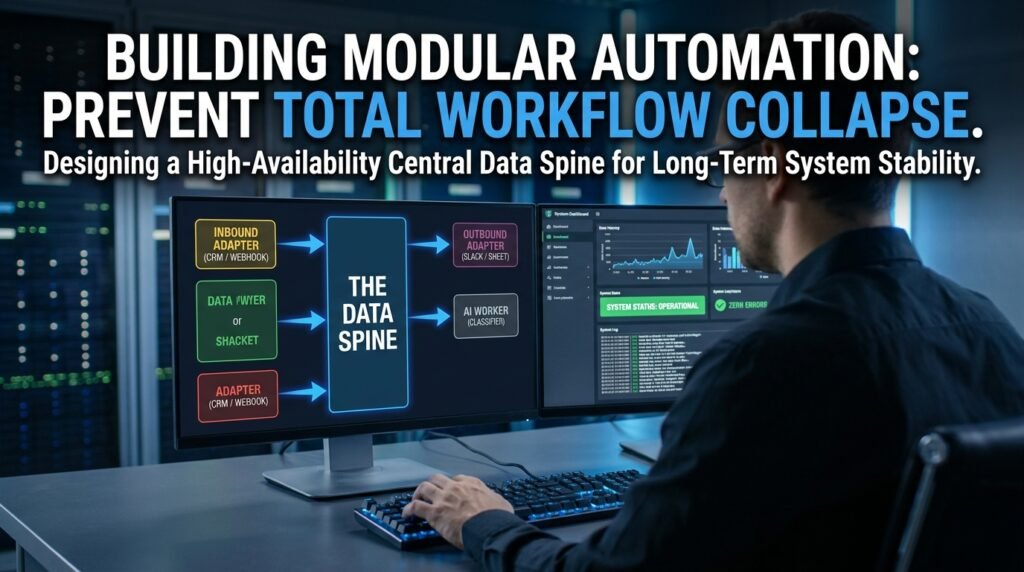
The reason your automations crash when a vendor updates an interface is the same reason any tangled system crashes: one change anywhere can reach anywhere. A modular design fixes that by cutting the long chain into small, independent blocks that pass clean data through a shared middle. When one block breaks, only that block has to be repaired, and the rest keeps running.
Why long linear chains fail
A ten-step chain is a single ten-step bug waiting for a vendor update.
In a linear shape, every step depends on the exact output of the one before it, and on the live availability of the app behind it. When one app changes a field name or a response format, every step downstream from that point also breaks, even though their own logic is fine. Worse, the failure surfaces in confusing places: the last step throws an error, but the cause was three steps earlier. Long chains also resist reuse, since each step is custom-fitted to the chain it lives in.
Modularity attacks both problems. Each block does one job, has a clean input and output shape, and never reaches into another block’s internals. When a vendor rearranges its furniture, you change exactly one block.
The architecture, drawn out
Here’s the shape: edges that talk to the outside world, a stable data spine in the middle, and small workers hanging off it.
Figure 1. Edges talk to apps; workers talk to the spine OUTSIDE APPS OUTSIDE APPS (form, email, (slack, crm, crm, calendar) email, sheet) │ ▲ │ webhook / poll │ ▼ │ action ┌──────────┐ ┌───────┐ ┌──────────┐│ │ ADAPTER │───►│ SPINE │───►│ ADAPTER │┘ │ IN │ │ │ │ OUT │ └──────────┘ │ (a │ └──────────┘ ▲ │ shared │ ▲ │ │ event │ │ │ │ bus, │ │ │ │ table, │ │ │ │ or DB) │ │ │ └───┬───┘ │ │ │ │ │ ▼ │ │ ┌───────────────┐ │ │ │ AI WORKER │ │ │ │ classifies, │ │ │ │ summarises, │ │ │ │ drafts text │ │ │ └───────────────┘ │ │ │ └────── independent workers ──┘ read & write to the spine only |
Two ideas carry this. The adapters are the only blocks that touch outside apps, so a vendor change is always isolated to a single block. The spine is the shared shape every other block reads and writes; it’s the contract that lets workers stay independent.
What each block is responsible for

One job per block, and the boundaries are strict.
- Inbound adapter. Catches a webhook or polls an app, normalizes the payload into your spine’s shape, and drops it onto the spine. No business logic.
- Spine. A shared place: a database table, an event-bus topic, a kanban-style status board. Holds the canonical record for each event.
- Workers. Small automations that watch the spine for records in a state they handle, do their one job, and write the result back. Examples: classifier, summarizer, lookup enricher.
- AI worker. Same as a regular worker; happens to call a language model for its one job. Never the only thing standing between an inbound event and an outbound action.
- Outbound adapter. Reads finished records off the spine and pushes them out to the right destination app.
The discipline is that no block ever reaches around the spine to talk to another block directly. Two adapters never talk to each other; two workers never chain themselves together. Everything flows through the middle, which is what keeps the whole thing decoupled.
The interface contract: the part that earns the modularity
Modularity is real only if the shape between blocks is fixed.
Define a small, stable record format that every block agrees on. Keep it boring: an id, a created-at, a current state, an event type, and a data object holding whatever the inbound adapter pulled out of the original payload. Workers add their own fields under their own namespace, like ai.classification or enrichment.account_id, so two workers never fight over the same key. The spine accepts changes to that format the way any API does: additions are free, removals are breaking, and you announce both.
This sounds bureaucratic for a small setup. It pays for itself the first time you swap out an inbound app, because the new adapter just has to produce the same record shape and every worker downstream keeps working without a single edit.
Designing the spine record
This is the contract everything else respects, so it deserves a few minutes of design.
Keep the top-level fields small and stable: an id, an event type, a created-at timestamp, a current state, and a data object. The data object is where each event’s variable content lives, so a form-submission event has different data fields than a CRM-update event, and that’s fine. Reserve a per-worker namespace, like ai for the AI worker’s outputs and enrichment for the lookup worker’s, so workers can add their own results without stepping on each other. Resist the temptation to flatten everything into top-level fields, because that’s how two workers eventually fight over the same key, and the contract starts drifting.
State, the field that does the most work
Every record on the spine has a state, and the state is how workers know what to do.
A worker watches for records in a state it handles, processes them, and writes them into the next state. A classifier might watch for ‘received’ and write ‘classified.’ A summarizer watches for ‘classified’ and writes ‘summarized.’ The outbound adapter watches for ‘ready_to_send’ and pushes to the destination. Because each worker is gated on state, you can add a new worker, the one that runs a fraud check, say, by inserting a new state into the lifecycle and updating the next worker to watch for the new state instead of the old one. No worker has to know about any other worker; they only know about the states they read and write.
How this survives a vendor update
A real example shows the value.
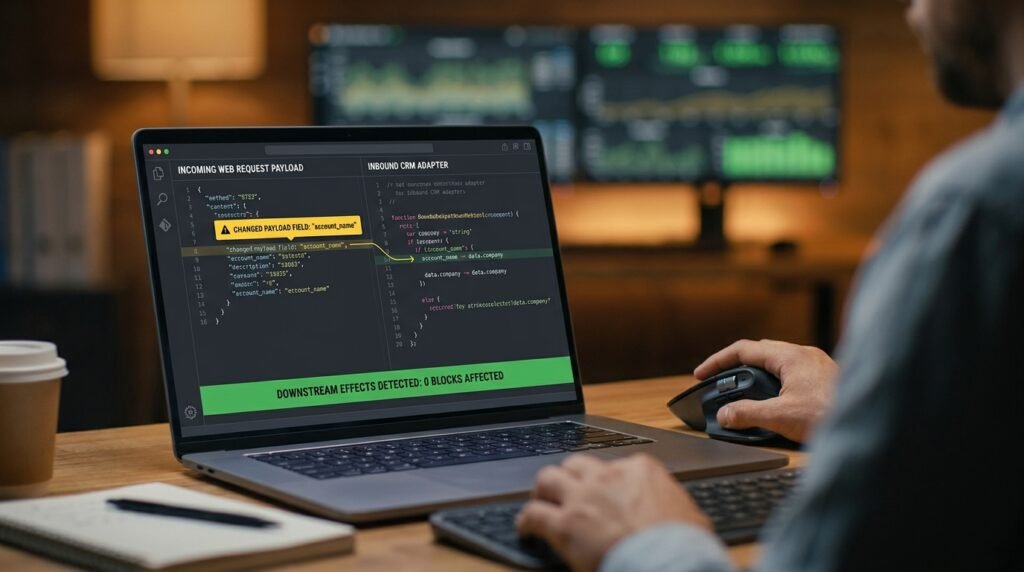
Say your CRM provider renames a field from ‘company’ to ‘account_name’ in its webhook payload. In a linear chain, every step that referenced ‘company’ breaks at once, and you find out when the third or fourth step throws an error halfway through processing. In a modular design, only the inbound CRM adapter touched ‘company.’ You update that one adapter to read ‘account_name’ from the new payload and to keep writing ‘company’ onto the spine record. Every worker and every outbound adapter sees the same spine shape it always did. The change is a five-minute fix in one place, instead of a search across ten configurations.
Modular vs linear, the trade-off
Modularity has a cost. Knowing when to pay it matters.
Concern | Linear chain | Modular structure |
Time to build first version | Fast | Slower, you set up the spine |
Failure scope when vendors change | Anywhere in the chain | One adapter |
Reuse across automations | Limited | Workers serve any flow |
Debug-ability | Trace a single line | Inspect spine state |
Right call for | Small, one-off jobs | Anything you’ll run for a year |
For a five-step automation that runs your weekly newsletter and nothing else, modularity is overkill. For the dozen pipelines your team depends on every day, it’s the difference between an afternoon firefight every quarter and a five-minute patch.
How to migrate without a rewrite
You don’t have to rebuild everything to gain most of the benefit.
- Pick the noisiest automation. The one that breaks most often is the one with the most to gain.
- Identify the spine record shape it would use, even if you don’t formalize a real spine yet. A spreadsheet row is a fine first spine.
- Wrap each external app in an adapter step, even within the same automation. The adapter does nothing but read or write the agreed shape.
- Move the AI step and any logic into a worker that reads from and writes to the spine, not to other steps.
- Promote the spine from a spreadsheet to a real database once you have two or three automations sharing it.
After two or three pipelines move onto the same spine, the value compounds. Adding a fourth automation is now mostly choosing which workers to subscribe and writing one new adapter, not building a chain from scratch.
When the spine itself becomes the bottleneck
Modularity has a failure mode of its own.
If every block reads from and writes to a single shared database, that database is now the busiest piece of your system, and slow-downs there ripple to every worker. The fixes are familiar to anyone who’s run a shared database before: index the columns workers actually filter on (especially state and event type), partition by date if the table grows large, and consider an event-bus tool for the hottest pipelines so high-volume events don’t park in a single table. None of this is needed on day one. Watch for the signal, workers waiting on the spine rather than on their own jobs, and address it then.
Common mistakes that quietly recreate the chain
The structure looks modular and behaves linear. Watch for these.
- A worker calls another worker directly, bypassing the spine. That’s a chain in disguise.
- The spine becomes a dumping ground, with fields nobody owns and no documented shape. The contract drifts and the modularity is gone.
- Adapters carry business logic. The moment your inbound adapter is deciding routing, it’s not an adapter anymore; split out a worker.
- One worker assumes the order in which other workers ran. Workers should be safe to run in any order, idempotent, and able to wait for the data they need.
Questions people actually ask
Isn’t this overkill for a small team?
Often yes. For a handful of small automations, a linear chain wins on simplicity. The signal that you’ve outgrown linear is when the same vendor change forces you to edit three or four chains in one afternoon. That’s the day modularity starts paying for itself, and not before.
Do I need real engineering tools to do this?
You can start in a no-code platform with a shared spreadsheet as the spine and individual Zaps or Make scenarios as adapters and workers. It’s less elegant than a real event bus, and it captures most of the benefit. Move to proper tools only when the scale forces it.
What happens when the spine itself changes shape?
Treat it like an API version. New fields are safe to add. Removing or renaming fields is a breaking change that requires updating every consumer; do it as one coordinated swap rather than piecemeal. The discipline is the same one any team with a shared schema follows.
How do I monitor a system spread across many blocks?
Log every spine state change with the record id, and you can reconstruct any record’s full journey by querying the log. Dashboards on the spine itself, counts of records by state, age in each state, tell you where things are stuck without inspecting individual blocks. Centralized monitoring is the natural payoff of having a shared middle.
Can I mix modular and linear pipelines in the same setup?
Yes, and most teams should. The handful of automations you run for years, your inbound lead pipeline, your order-to-fulfillment flow, deserve the modular treatment. The one-off scenario you set up for a single campaign next month can stay linear and disappear when the campaign ends. The trap is treating every new automation as either category by default; pick the shape based on how long you expect to run it.
Wrap one app in an adapter, today
Pick the app whose updates most often break your automations and wrap your interaction with it in a single adapter step or scenario. From now on, every other automation reads from that adapter’s output rather than from the app directly. You haven’t built a full modular system. You’ve built the first piece, and you’ve already made next month’s vendor update a five-minute fix instead of an afternoon of searching.

Hi I’m Muzammil Haqani. I’m a content creator and AI expert with 3+ years of experience exploring and writing about artificial intelligence and technology. Through this blog, I share tutorials, insights, and practical guides to help readers understand and use AI tools effectively in their everyday lives.
Great article! I’ve been using Nano Banana 2 () for similar projects. Nano Banana 2