
Why manual data entry still matters alongside AI document scanning
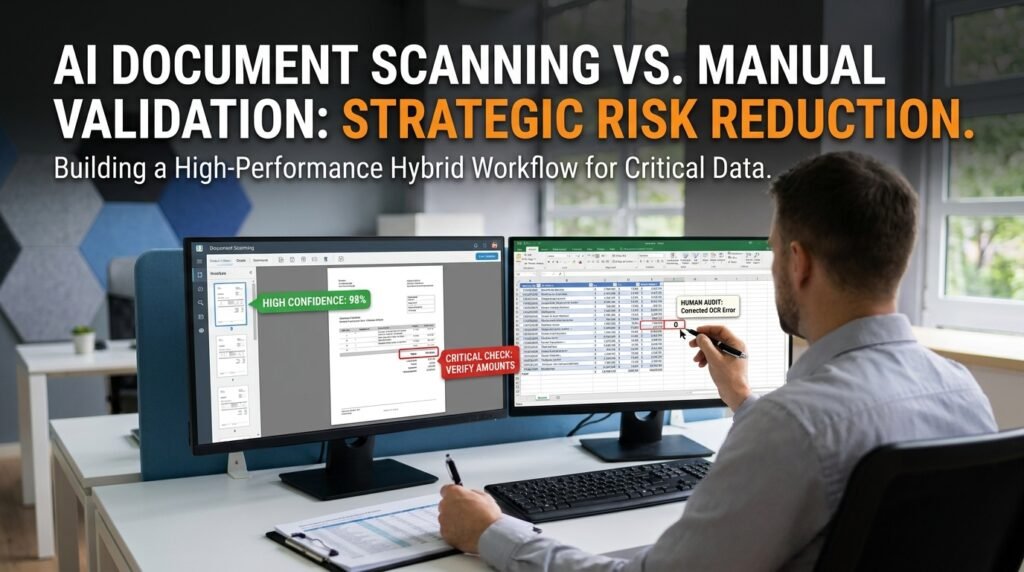
AI document scanning is fast and tireless, and it’s also wrong often enough that giving it the final say is a mistake. The real skill is knowing which fields and which documents the AI gets wrong, so a person checks those and lets the rest pass. That targeted split keeps most of the speed of scanning without taking on most of the risk.
What AI extraction is good and bad at
AI scanning has a clear comfort zone and clear blind spots.
It’s strong on clean printed text, standard fonts, and consistent digital forms or invoices, the high-volume material it was trained for. It’s weak on handwriting, low-resolution or skewed scans, dense tables, and faded receipts. The reassuring part is that the errors aren’t random. They cluster in predictable places, and that predictability is exactly what makes a targeted review possible instead of re-checking everything.
The risk-assessment matrix
This is where the errors concentrate, and where a human has to look.
Input or field | Error risk | Why it happens | Human check? |
Clean printed text | Low | What OCR is built for | Spot-check only |
Handwriting | High | Huge variation; OCR is weak here | Always |
Dense tables | High | Row and column alignment breaks | Always |
Faded or thermal receipts | High | Low contrast, missing strokes | Always |
Amounts and decimals | Med-High | 0/O and 1/7 mix-ups, lost separators | Always, for money |
Dates | Medium | Format ambiguity, digit slips | Always |
Names and ID numbers | Medium | No dictionary to self-correct | Always |
Checkboxes and stamps | High | Marks misread or missed entirely | Always |
Multi-column layouts | Med-High | Reading order scrambles | Verify structure |
The pattern is two-sided. Anything with consequence, money, identity, or a legal action, earns a full check, and anything visually hard, handwriting or low contrast or a dense grid, does too. Clean printed prose is the safe zone where a spot-check is enough.
Why these inputs trip up OCR
The mechanism explains the pattern, and the pattern tells you where to look.
OCR matches shapes to characters, then leans on a language model to self-correct whole words. That correction is a gift for prose, since the tool knows ‘recieve’ should be ‘receive,’ but it does nothing for an account number, where every character stands alone and there’s no dictionary to fall back on. So a typo in a word often fixes itself, while a wrong digit in an amount sails straight through looking perfectly plausible. The classic misreads come from similar shapes: 0 and O, 1 and l and I, 5 and 6, the letters r and n blurring into m.
The fields that always need a human
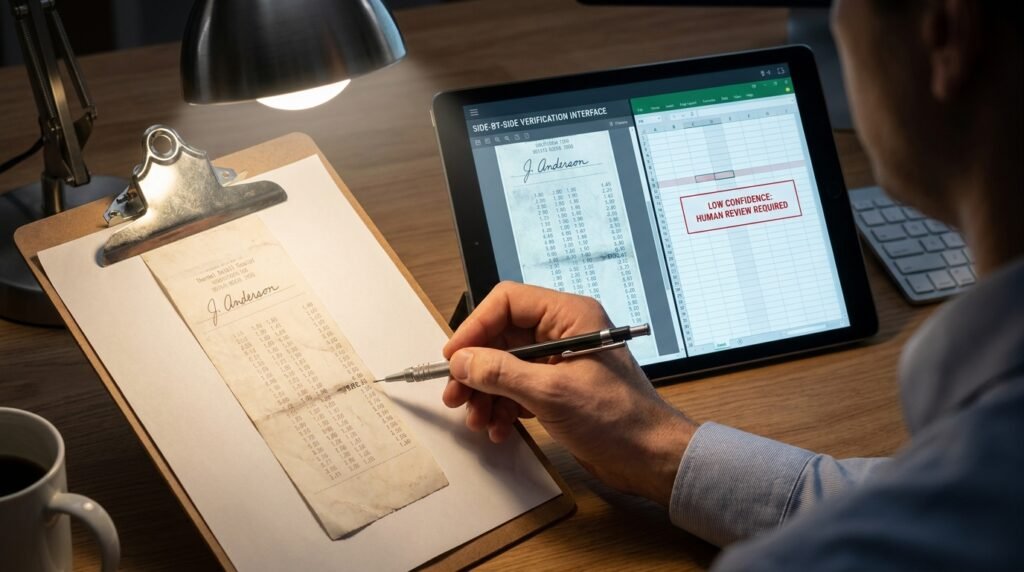
A short list carries almost all the real risk.
- Amounts and totals, anything that becomes a payment.
- Dates, especially when they drive a deadline or an interest calculation.
- Account numbers, invoice numbers, and other IDs with no room for a near-miss.
- Names attached to a person’s record or a legal document.
The rule behind the list is simple: if a wrong value here would cost money or trigger a wrong action, verify it fully, no matter how confident the tool looks. Confidence is cheap. A wrong wire transfer is not.
Set a threshold, don't review on a hunch
‘Check the important ones’ isn’t a process until you define important.
Decide the rule in advance and write it down: every monetary field gets verified, every date that drives a deadline gets verified, anything the tool scores below a set confidence gets verified. A written threshold turns review from a vague good intention into something you can hand to someone else and audit later. It also heads off the two failure modes of ad-hoc review, checking everything out of nervousness, which kills the time saving, and checking nothing because it all looked fine, which is how a wrong total reaches a customer.
A hybrid workflow that beats either alone
The trick is to sequence scanning and typing, rather than choosing one over the other.
- Let the AI extract everything in one fast first pass.
- Use the tool’s per-field confidence score, if it has one, to flag the low-confidence fields.
- Route every high-risk field, money, dates, IDs, to human review no matter what the confidence says.
- Spot-check a random sample of the ‘safe’ fields, to catch a systematic error early.
- Reconcile the numbers wherever the math allows, so mismatches surface on their own.
This is faster than full manual entry and far safer than blind trust, because the human minutes go only where errors actually cluster. The machine does the boring 90%, and you spend your attention on the 10% that can hurt you.
Reconciliation: the error-catcher you get for free
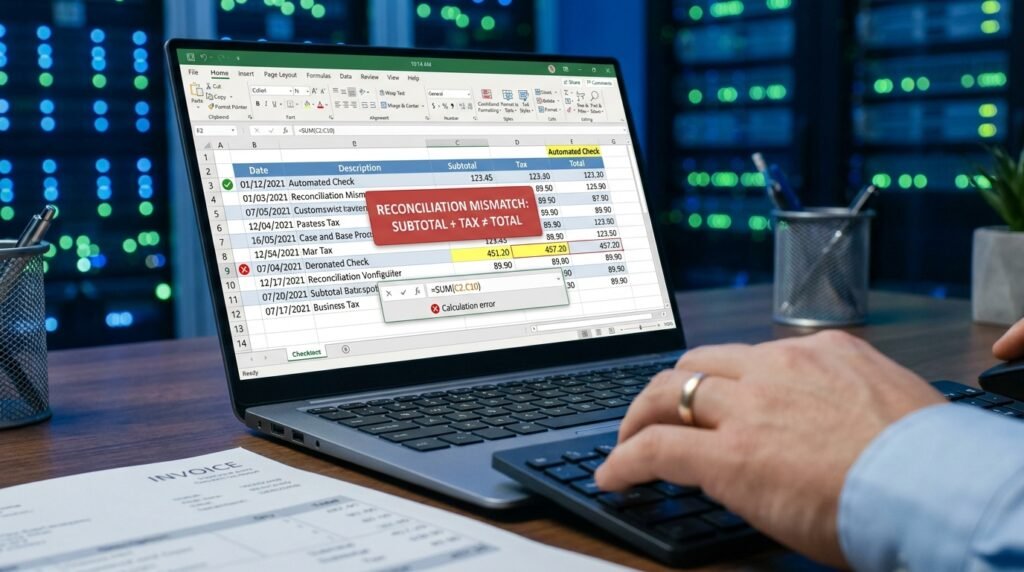
Where numbers have a relationship, let the numbers check themselves.
Line items should sum to a subtotal, the subtotal plus tax should equal the total, debits should match credits. When the extracted figures don’t reconcile, you’ve found an error without inspecting a single field by hand. Build these checks into your sheet and they quietly catch a real share of OCR digit slips, flagging the exact document that needs a human before anyone has to look. It’s the cheapest quality control there is, because the document’s own arithmetic does the work.
What a good extraction tool gives you to work with
The tool’s features decide how cheap your review can be.
Two capabilities matter most for keeping a human in the loop efficiently. Per-field confidence scores let you sort the output so the shakiest values rise to the top, instead of scanning everything evenly. And a side-by-side view, the extracted value next to the original image of that field, lets a reviewer confirm a number in a second without hunting through the source document. When you’re choosing a scanner, those two features save more review time than a small bump in raw accuracy, because they aim your attention rather than just shrinking the pile you start from.
When manual entry actually wins
Sometimes typing it yourself is simply the right call.
Low volume with high stakes is the clearest case: for a handful of legal documents, the setup and verification overhead of a scanning pipeline costs more than just entering them carefully. Heavily handwritten or degraded sources are another, because the AI’s accuracy is so low you’d re-check every field anyway, which erases the time saving. And one-off jobs rarely justify building a pipeline at all. For a single page of messy handwriting, an attentive person is faster than AI plus the review that AI would demand.
How to sample-check a big batch
You can’t hand-verify ten thousand documents, and you don’t need to.
Verify 100% of the high-risk fields, then take a random sample of the rest and check it. If the sample’s error rate is acceptable, ship the batch. If it isn’t, you don’t have a row problem, you have a pipeline problem, usually a document type the tool can’t read, and the fix is to repair the process rather than the rows. Track which document types keep failing, and route those straight to a human next time, so the system gets more accurate the longer you run it.
Keep an error log, and the system improves itself
Every error you catch is data about where to look next time.
When a check turns up a mistake, note the document type and the field. Over a few batches a pattern surfaces: one vendor’s faxed invoices fail on the total, or a particular form’s date column scrambles every time. Once you can name the pattern, you can route those documents straight to a human and stop trusting the tool on exactly the inputs it fails. The log turns one-off corrections into a rule, and the rule makes every future batch faster and safer. Most teams skip this and re-discover the same failures month after month.
When to stop fighting the PDF
Sometimes the format is the wrong battle to pick.
If the same data exists somewhere as a spreadsheet or a CSV, go get that instead of wrestling it out of a PDF. If it’s a report you receive on a schedule, ask the sender for a data export, which costs them nothing and saves you the whole problem. And for a born-digital table, a spreadsheet’s own import feature or a dedicated PDF-to-CSV tool usually preserves structure better than pasting text into a chat model. A general chat assistant is the least reliable path for a big table, so reserve it for when you have no cleaner source.
Questions people actually ask
Doesn’t a high confidence score mean the field is correct?
No. Confidence is the tool’s guess about its own guess, and it can be confidently wrong, especially on numbers and unusual layouts. Use the score to decide what to review first, not as permission to skip review on a high-stakes field.
Which document types should I never fully automate?
Handwritten forms, faded or thermal receipts, dense financial tables, and anything legal. They carry the highest error rates and, not by coincidence, the highest cost of being wrong, so they always deserve a human in the loop.
Will a better AI scanner remove the need for review?
It lowers the error rate but doesn’t zero it, and it can’t change what a wrong amount on an invoice costs you. Review scales down as accuracy improves; it doesn’t disappear for the fields where being wrong is expensive.
Is it faster to fix AI output or just type it fresh?
It depends on the source quality. Above a certain accuracy, correcting the AI’s output is quicker. Below it, you end up re-checking everything anyway, so typing is faster. For clean printed documents, fix; for messy handwriting, type.
How big a sample should I spot-check?
Big enough to trust the result, which depends on your batch size and how costly a miss would be, not a fixed number. The useful habit is to check enough of the low-risk fields that a clean sample would leave you comfortable shipping, and to treat any error you find as a signal to widen the check rather than a one-off fix. High-risk fields stay at full review regardless of what the sample says.
Verify by risk, not by volume
Don’t frame this as AI against manual entry. Take your document type, mark the fields that carry money, identity, or legal weight, and verify those completely while you sample the rest. Add a reconciliation check wherever the numbers should add up. You’ll keep the speed of scanning and spend your attention precisely where the errors and the stakes both live, which is the only place it was ever worth spending.

Hi I’m Muzammil Haqani. I’m a content creator and AI expert with 3+ years of experience exploring and writing about artificial intelligence and technology. Through this blog, I share tutorials, insights, and practical guides to help readers understand and use AI tools effectively in their everyday lives.