
Why Relying Entirely on AI automations for client onboarding creates friction
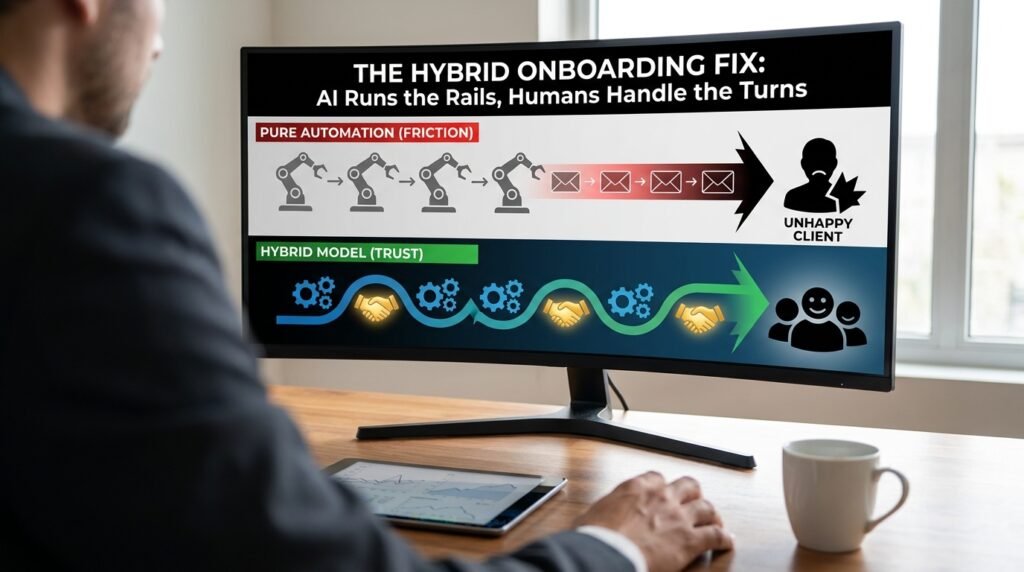
A fully automated welcome sequence is one of the few things that can feel impersonal and overwhelming at the same time. Eight emails in three days, all written by a polite stranger who clearly never read your reply, is the experience most clients describe after a heavy onboarding flow. The fix is hybrid: AI for everything repeatable and timing-sensitive, a human at three specific points where the relationship is actually formed or could go wrong.
Where pure automation breaks down
AI handles patterns. Onboarding has too many edge cases for patterns alone.
The early days of a relationship are when you discover the things that aren’t on the form. A wrong company size on the intake says you’ll need a different plan than you sold. A reply that says ‘this looks great, but our compliance team needs to see X first’ is the kind of thing a robotic sequence answers with email seven of seven anyway. And a small misstep in onboarding, the wrong name, a confirmation that contradicts what was promised on the call, gets remembered far longer than a smooth one gets praised. Automation that can’t notice it should pause is the source of nearly all onboarding complaints.
The hybrid model
Here’s where AI does the work and where a person earns their keep.
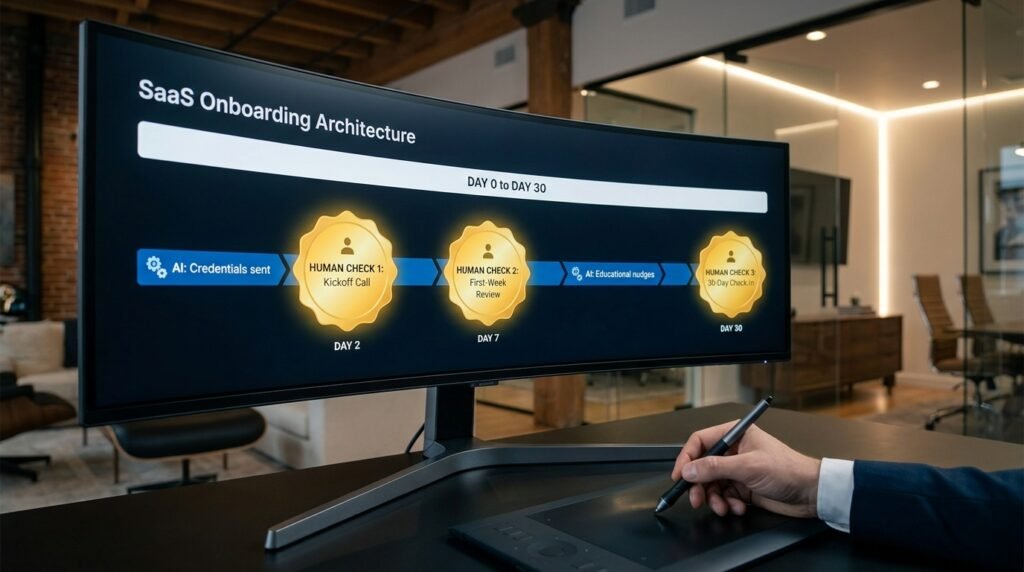
Figure 1. AI runs the rails; humans handle three known turns DAY 0: deal closed in CRM │ ▼ [AI] Send welcome email + scheduling link Create workspace, send credentials │ ▼ ★ HUMAN CHECK 1: kickoff call one short call (30 min). this is where the relationship is formed; do not automate it. │ ▼ [AI] Send call recap + next-step checklist Set up integrations from the intake form Send 2-3 educational nudges over week 1 │ ▼ ★ HUMAN CHECK 2: first-week review account owner skims the workspace and the intake answers. catches plan mismatches, weird configurations, missing context. │ ▼ [AI] Activity-triggered tips for week 2 and 3 Pause sequence on any negative reply │ ▼ ★ HUMAN CHECK 3: 30-day check-in short call or written note. is the client getting value? is anything stuck? this is the moment churn risk first becomes visible. │ ▼ [AI] Continue light-touch lifecycle messaging |
Three human checks is a deliberate number. Two is not enough; clients can drift between them. Four or more starts to load the team again, which is the cost the automation was meant to reduce. The three above each catch a specific risk: the kickoff forms the relationship, the first-week review catches early misfits, and the 30-day check finds churn before it sets.
Which onboarding tasks AI handles well
Most of the work, in fact, when the task is repeatable.
- Sending welcome emails and credentials at the right time.
- Creating a workspace, account, or project from intake data.
- Scheduling and rescheduling the kickoff call.
- Sending a recap and checklist after the call (from notes the human captured).
- Educational nudges paced over the first two weeks.
- Activity-triggered reminders, like prompting a client who hasn’t logged in.
- Routine status updates to internal channels.
Where a human has to be in the loop
Each of these has a cost when it goes wrong that AI can’t see.
Touchpoint | Why a human | What an AI miss looks like |
Kickoff call | Trust is set here | An eager bot recap that misstates the plan |
First-week review | Catches mis-sold or wrong-fit accounts | Sequence keeps going while client is unhappy |
First sensitive reply | Triage and tone judgement | Auto-reply to a complaint feels insulting |
Custom requests | Decisions outside the playbook | A fabricated promise no one can keep |
30-day check-in | First chance to spot churn | Renewal lost to silence the sequence didn’t see |
Where the dropoff happens: the death spiral of email 4
Look at any heavy onboarding sequence’s reply rate and you’ll see the same pattern.
Replies and logins are high for the first two or three messages, when the client is curious and engaged. They fall off a cliff around message four, which is the point at which the sequence has clearly stopped reading the client’s situation and started just running. Adding messages after that point doesn’t recover the engagement, since the client has already mentally categorized the sender as a noisy autoresponder. The lesson isn’t to write better messages four through eight; it’s to put a human-shaped event in that exact gap. A kickoff call at day three, a quick written check at day five, or a ‘how’s it going’ note from a real owner, anything that breaks the pattern, is what restores the reply rate.
How tone gives the bot away
Even great prompts can’t completely hide the AI hand at first contact.
Three patterns make a welcome message read as machine-written even when the words are fine. Excessive enthusiasm without specifics: ‘so excited to have you on board’ applied to a client whose actual context the writer has no idea about. Generic-feeling personalization: a first name that’s too prominent, sprinkled in three times across a short email. And a tidy three-part structure on a casual note. Clients can’t always say what’s wrong, and they can feel that nobody on your team actually pressed send. Save the warm note for the human messages; let the automated ones be plain, short, and useful.
Three guardrails that keep automations humble
Even where AI does the work, a few rules keep it from making the wrong call.
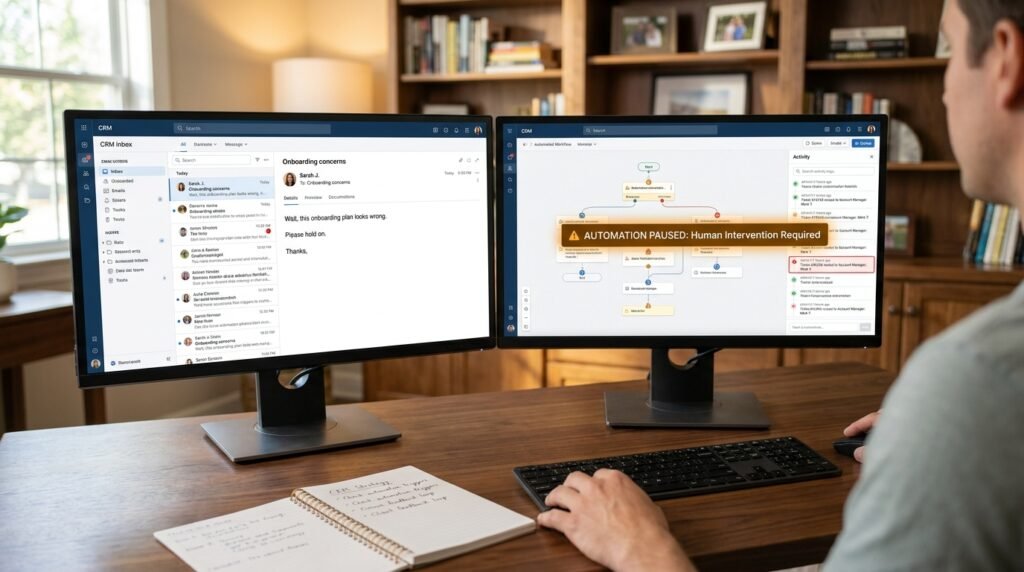
- Pause on any negative reply. If a client’s response contains words like ‘wait,’ ‘wrong,’ ‘cancel,’ or any negative-sentiment cue, the sequence stops and the account owner is paged. Better to pause an okay message than to send a tone-deaf next one.
- Pause on inactivity. A client who hasn’t logged in by day five is a churn risk; another two automated tips don’t fix that. Hand it to a human.
- Pause on out-of-band requests. If a reply mentions legal, contracts, security, or a specific person by name (the founder, the head of legal), the sequence pauses by default.
All three are pause-by-default. The AI’s job is to advance the sequence; a human’s job is to decide whether the pause is real. The error you want to avoid is the sequence happily marching on while the relationship quietly dies.
Personalization without uncanny valley
AI-written messages that try to sound personal often land worse than ones that don’t.
A welcome email that name-drops the client’s last LinkedIn post or invents a shared interest reads as creepy on a first contact. The safer pattern is to personalize on facts the client themselves gave you, the company name, the stated goal, the timezone for scheduling, and to keep the voice plain and brief. Save the heartfelt note for the human-written touches at the kickoff and at the 30-day mark. Two genuine sentences from a real person beat a paragraph of AI warmth
Segment the sequence, don't average it
One sequence for every client is the lazy default and the source of most misfits.
A high-touch enterprise client and a self-service signup don’t need the same six emails. Build two or three lightweight tracks based on the signals you already capture: deal size, plan, source of signup. The high-touch track has more human moments and fewer automated messages. The self-service track has more automated education and fewer human checks, because the economics demand it. The biggest single win in most onboarding programs isn’t a better message; it’s stopping the wrong sequence from running on the wrong account.
What to log so humans can step in well
A human handoff only works if the human can come up to speed in a minute.
Every automated message and every client reply should land on a single timeline the account owner can scan. The timeline carries the message text, the channel, the timestamp, and any pause flag the system raised. When a human jumps in, they read the last ten entries and they know what was said and where things stand. Without that timeline, the human either guesses or re-asks, and re-asking is one of the things clients hate most about being onboarded.
Questions people actually ask
Doesn’t more automation cut onboarding cost?
On simple, high-volume products, yes. On services with even a little customization, the false savings show up as churn that you can’t see in this month’s numbers. The three human checks above usually cost less per account than the deals lost from skipping them.
How do I keep the sequence from blasting on after a client replies?
Build the pause-on-reply rule into the trigger logic, not as an afterthought. Any reply, positive or negative, should at minimum suppress the next scheduled message and route the thread to the account owner. The rule is cheap to add and prevents the single worst onboarding failure: a sequence that talks over the client.
Can the AI handle the kickoff if my team is small?
It can run the logistics, the calendar, the room link, the recap, but the call itself should be a real person. Even a short live call from a real owner outperforms a polished AI version, because the value is the relationship, not the information. If you can’t staff one short call per onboarding, that’s a signal you’re selling to the wrong segment, not a signal to automate it.
Where does AI add the most without risking the relationship?
In the boring parts. Setting up accounts, sending checklists, scheduling, and reminding. These are the tasks that are easy to forget under load and almost never go wrong when automated, because there’s no judgement to get wrong. Concentrating AI there frees your humans for the three checks that matter.
How do I know which onboarding messages are working?
Track replies and conversions per step, not opens. Opens are a vanity metric in onboarding, since people open everything in the first week. A step that gets no replies and no logins is a step nobody read, and that’s where to cut or rewrite.
Should I tell the client which messages are automated?
Not in those words, since labeling each message creates more friction than it solves. Be honest about the shape: ‘You’ll get a checklist from our system and a real note from me on Friday’ is plenty. Clients dislike feeling fooled. They don’t expect a personal hand on every nudge, and they do notice when one specific message clearly came from a person who knows their situation.

Hi I’m Muzammil Haqani. I’m a content creator and AI expert with 3+ years of experience exploring and writing about artificial intelligence and technology. Through this blog, I share tutorials, insights, and practical guides to help readers understand and use AI tools effectively in their everyday lives.