
How to connect a calendar app to an AI scheduler for client bookings

An AI scheduler that double-books you ignored one of three things: a busy event it couldn’t see, a time-zone mismatch, or the gap you want between meetings. The fix isn’t smarter AI. The fix is treating the calendar as the source of truth, layering explicit buffers on top, and writing the booking only after a final availability check. Get the order right and double-bookings stop being your problem.
Why AI schedulers double-book
They guess against stale data.
Most AI schedulers read your calendar once when negotiating a time, then propose slots based on what they read. Between the read and the actual booking, three things can change. A new meeting can land on your calendar from a separate tool. A second client can be in negotiation at the same moment. A time-zone interpretation can drift, so 3pm Eastern reads as 3pm local somewhere it shouldn’t. Without a final check at the moment of booking, the AI commits you to a slot that was free five minutes ago and isn’t anymore.
There’s a deeper trap behind those three: the AI is often given the job of remembering your availability, when only the calendar should hold that fact. Any system where the AI ‘knows’ your schedule independently of a live calendar query will eventually disagree with reality. The architecture has to send every booking decision through the calendar, every time.
The workflow schematic
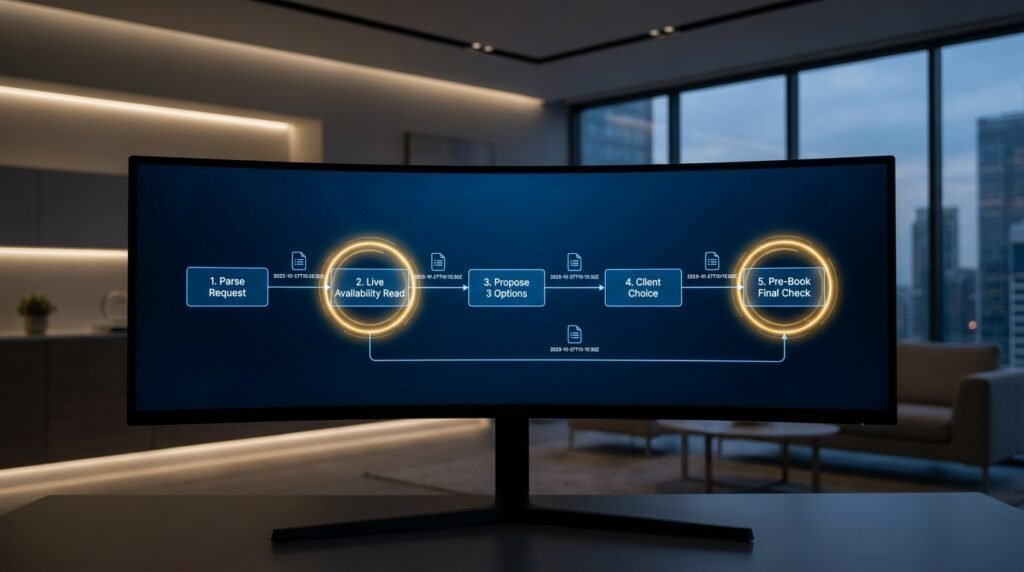
Here’s the full booking pipeline, with the safety buffers placed at the points they actually matter.
Figure 1. The booking pipeline, with the checks circled CLIENT MESSAGE (email or chat asking for a meeting) │ ▼ [1] PARSE THE REQUEST AI extracts: desired duration, time zone, preferred windows, urgency. If anything is ambiguous, ask back rather than guessing. │ ▼ [2] FIRST AVAILABILITY READ Live query the calendar for free/busy in the window. Apply YOUR rules: • working hours only • block out lunch and focus blocks • add a 15min buffer either side of every event • never propose anything starting in the next 2h │ ▼ [3] PROPOSE 3 OPTIONS AI writes a short reply with 3 slots, each shown in the client’s time zone AND yours. Mark each slot with a soft hold (tentative event) so a second client can’t grab the same one mid-chat. │ ▼ [4] CLIENT PICKS ONE If they counter-propose a new time, loop back to [2]. │ ▼ [5] PRE-BOOK FINAL CHECK ← the step that prevents Re-query free/busy for the chosen slot. double-booking If still free: write the event, drop the other soft holds. If not free: apologise, propose 3 new slots. │ ▼ [6] CONFIRM Booked event sent to the client with both time zones, a join link, and a cancel/reschedule link. |
Steps 2 and 5 are the workhorses. Step 2 keeps the proposals realistic; step 5 closes the gap between ‘we agreed on Thursday at 3’ and ‘the event actually exists on your calendar.’ Skip either and the system will eventually fail in the way you’re most afraid of.
Safety buffers that matter, in plain words
The buffers aren’t padding. Each one prevents a specific failure mode.
Buffer | What it prevents | Typical value |
Pre-meeting buffer | Back-to-back meetings with no prep time | 10 to 15 minutes |
Post-meeting buffer | Running long into the next slot | 10 to 15 minutes |
No-bookings-soon window | Same-day surprise meetings | 2 to 4 hours from now |
Daily meeting cap | Burnout days; quality drops past ~5 calls | A per-day count |
Focus blocks | Deep-work time treated as available | Mark them as busy events |
Travel time | Back-to-back across locations | Set per location pair |
Holiday and PTO awareness | Booking on days you’re out | Pull from the same calendar |
Most schedulers ship with one or two of these. The double-booking failure mode is almost always one of the missing ones biting you. Decide which apply, set them up front, and don’t relax them later because a single client pushes.
Time zones are where this falls over
Half the double-book stories I hear are really time-zone stories.
An AI that handles times as strings rather than as zone-aware datetimes will eventually treat 3pm in the client’s email as 3pm in your calendar, even when you’re six hours apart. Three habits keep this out of your way. Pin every parsed time to a zone explicitly, using a name from the IANA time zone database (America/New_York, not ‘Eastern’), and default to the client’s stated zone, never to yours. Show both zones in every proposal and every confirmation. And use ISO 8601 with offset in any data you store, like 2026-06-04T15:00:00-04:00, rather than free text. None of that is glamorous, and skipping it is how you commit to a meeting at 3am.
Soft holds keep parallel chats honest
Negotiating with two clients at once is where most platforms quietly break.
If you propose Tuesday at 2pm to two clients in two separate threads, both can accept, and only one fits. The fix is a soft hold: a tentative calendar event for each proposed slot, created the moment you propose it, with an automatic expiry of an hour or two. If the client doesn’t accept inside the window, the hold drops. If they do, the pre-book final check confirms and converts the hold into a confirmed event. Schedulers that don’t support soft holds need a workaround, often a hidden ‘pending’ calendar layered on top, but the principle is the same: nothing you’ve offered is fully free until the negotiation closes.
The parsing prompt
The AI’s job in this pipeline is small and contained. It reads the client’s request and pulls out the structured fields the rest of the system needs.
The request-parsing prompt Read the client message below. Extract the following. Return JSON only.
Fields: duration_min: integer client_tz: IANA zone (e.g. America/New_York) windows: list of {date, start, end} in client_tz urgency: low | normal | urgent ambiguous: boolean questions: list of clarifying questions, if any
Rules: – If the client gives a vague time like ‘sometime next week’, set ambiguous=true and add a question. – Never invent a date. If the message says ‘Friday’ with no week, ask which Friday. – If no time zone is stated, set ambiguous=true and ask. Do not assume the client’s zone is yours.
Message: “”” [paste the client email] “”” |
Two design choices matter here. The model never proposes times itself, since that’s the calendar’s job. And it explicitly flags ambiguity rather than guessing, because a guessed time zone or weekday is the start of every scheduling disaster.
How the AI and the calendar should split the work
Each side does one job. Mixing them is where things break.
The AI is good at reading a human’s request and writing a human reply. It’s bad at remembering state and at math. The calendar is the opposite: it holds truth, does arithmetic on dates and zones, and tells you the truth when asked. So the AI parses incoming language into structured fields, and writes the outbound reply. The calendar holds availability, applies your buffers, and is queried for free/busy. Soft holds, the pre-book check, and the final write all live on the calendar side. When you find yourself asking the AI to ‘remember’ that a slot is taken, you’ve crossed the line; push that state back to the calendar.
Failure modes worth simulating before you go live
Run these on a test calendar before any real client touches the system.
- Two clients negotiate the same slot in parallel. Check that the soft hold prevents the second from being offered the same time.
- An event lands on your calendar from another tool mid-negotiation. The pre-book check in Step 5 should catch this and propose new times.
- A client replies in a different time zone than they stated initially. The system should re-parse, not silently keep the old zone.
- You drop into a different time zone yourself, while traveling. Bookings should still respect your working hours in your current zone, not your home one.
- A holiday lands inside a proposed window. The buffer for PTO should hide that day from proposals.
What a confirmation message should always carry
Half of cancellations are really confusion. A good confirmation pre-empts both.
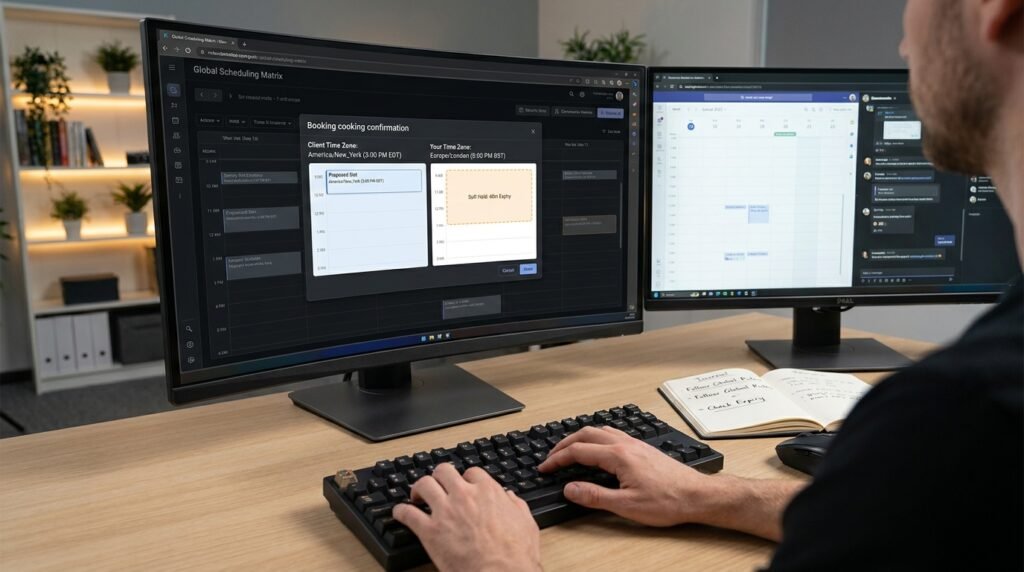
Three pieces save you trouble. First, both time zones on the same line, like ‘Thursday 4 June, 3:00 PM EDT / 8:00 PM BST,’ so neither side has to convert. Second, a clear cancel-or-reschedule link, not a ‘reply to cancel’ instruction, since reply emails get missed and links update the calendar without you in the loop. Third, the meeting purpose in one short sentence, so a busy client remembers what this slot is for when it appears on their calendar three days later. A confirmation that does these three reliably cuts the same-day ‘wait, when was this’ email almost to zero.
Holds and overbooking on shared calendars
If more than one person can be booked, the rules tighten.
On a single-owner calendar, the soft-hold and pre-book pattern is enough. On a team calendar where any of three account managers could take a call, the system has to keep each manager’s free/busy separate, apply per-person buffers, and route a new request to the manager with the most room rather than the first one with a free slot. The risky failure here isn’t double-booking one person; it’s overloading one person while another sits empty. Build that load awareness into Step 2, even if it’s just ‘prefer the manager with fewest meetings today,’ and the team will thank you.
Tools and how to wire them safely
Almost any modern booking tool can be made to work, but they differ in what you’re trusting them to do.
Dedicated scheduling apps handle the calendar reads, buffers, and confirmation flow for you, and most expose webhooks so an AI step can sit in front, do the parsing, and post the structured request into the booking link. That arrangement plays to each side’s strength: the AI reads natural language, the scheduler owns the truth about your availability. A do-it-yourself flow built on a general automation platform can match it but takes longer, and the place it usually breaks is the final availability check, which is the one step that can’t be skipped. If you’re building this yourself, build Step 5 first.
Questions people actually ask
Can’t the AI just remember when I’m busy?
It can hold a snapshot, and a snapshot goes stale the moment any other tool writes to your calendar. The right model is: the calendar is the single source of truth, the AI is the interpreter, and every booking confirms against the live calendar at the last possible moment.
Why is the 2-hour ‘no bookings soon’ buffer worth it?
It prevents the most common bad day: a same-morning meeting request that drops onto your calendar while you’re heads-down, with no time to prep. Push the earliest possible slot a couple of hours out and you keep the surprise factor down. Make it longer for senior or external meetings if you need more lead time.
My calendar has events from three different sources. Does that matter?
Yes. The scheduler must query every calendar that holds events that should block bookings, not just your primary one. A ‘busy’ event on a secondary calendar that the scheduler can’t see will look like free time, and it’ll book over it. List every source up front and connect them all.
Should I let the AI auto-confirm, or always require my okay?
Depends on the meeting type. Routine intro calls and standard service slots can auto-confirm safely once the pipeline is tuned. High-stakes calls, anything with a senior client, anything where you’d be embarrassed if it went wrong, should drop into a ‘pending your approval’ queue rather than auto-book. Cost of a wrong booking is what decides this.
Should the AI propose more than three slots at once?
Three is the right number for most cases. Two feels constrained and forces another round of negotiation; four or more invites analysis paralysis and increases the chance two clients pick the same one. If the client has narrow constraints, three slots in a single short window beats five spread across the week, because it preserves the room to recover when the pre-book check fails on the chosen one.
Can the AI handle reschedules and cancellations too?
Yes, with the same final-check pattern. A reschedule is just a cancel of the old event plus a new booking, run through the same pipeline. Keep cancellations one-step and instant, since hesitation there causes more problems than it prevents. Reschedule confirmations should still pre-book-check the new slot, so a calendar that filled in the meantime doesn’t quietly produce a second double-booking on the rebooking attempt.
What if a client doesn’t reply for days?
Two things should happen automatically. The soft holds drop on their schedule, so you aren’t carrying ghost reservations for a week, and a single polite follow-up sends after a defined window. If the client still doesn’t reply, the negotiation closes and any future request from them starts fresh.
Build the final check first
If you’re starting from a blank slate, wire the pre-book availability check before anything else, even before the AI parsing. A working scheduler with no AI but a reliable Step 5 will never double-book you. A clever AI without Step 5 eventually will. Once the check is solid, layer the buffers and the soft holds on top, then add the AI parser last so it can speak naturally to clients on top of a foundation that’s already safe.

Hi I’m Muzammil Haqani. I’m a content creator and AI expert with 3+ years of experience exploring and writing about artificial intelligence and technology. Through this blog, I share tutorials, insights, and practical guides to help readers understand and use AI tools effectively in their everyday lives.