
Why your AI-generated meeting summaries keep losing important context
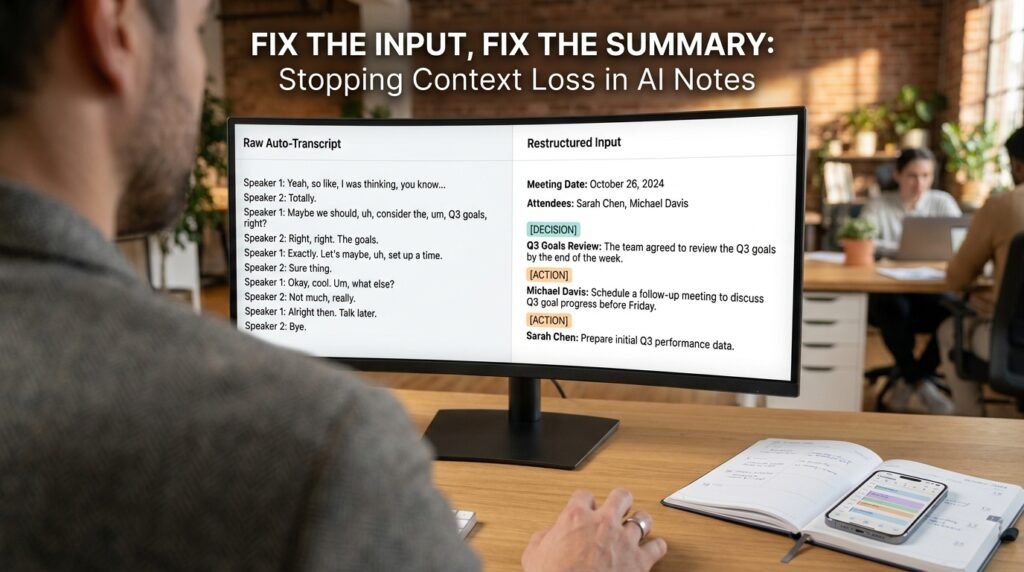
When an AI summary drops the one decision that actually mattered, the model usually isn’t the culprit. The input is. A raw transcript is a flat wall of speaker turns with nothing to mark what’s a decision, what’s an aside, and what someone agreed to do. Clean that up before you paste, and the summaries sharpen fast.
Why raw transcripts confuse the model
A transcript and a summary-ready document are not the same thing.
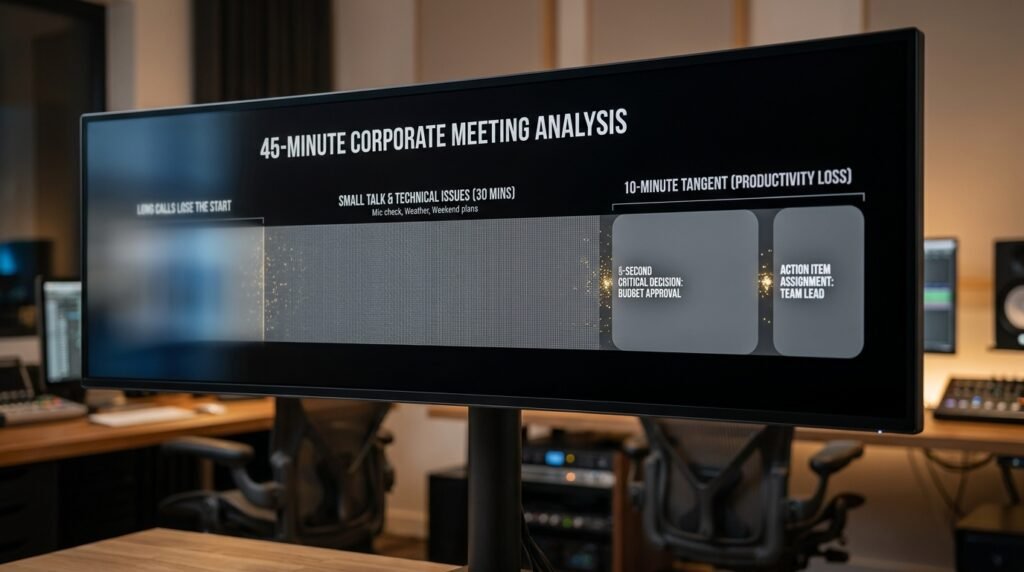
The model reads a transcript as one long run of text where every line carries about the same weight. Nothing tells it that a quiet ‘yeah, works for me’ three lines after a proposal is the moment a decision got made. Side chatter like ‘can you hear me now?’ sits at the same level as the budget call. And the longer the meeting runs, the more the early part fades by the time the model reaches the end.
None of this means the model is bad at summarizing. Hand it a clean, well-marked document and it does the job well. The failure is upstream, in feeding it raw material that hides the very signal you want pulled out.
Four failure modes show up again and again:
- Decisions look like chatter. No marker separates ‘we’re moving the launch’ from the small talk around it.
- Owners go missing. ‘I’ll handle it’ loses the name the moment the speaker label is generic.
- Long calls lose the start. The model leans on later text, so early decisions quietly drop out.
- Tangents get equal billing. A five-minute rabbit hole reads as important as a 30-second decision.
I saw this plainly on a sprint-planning call. The summary captured a feature we’d kicked around for ten minutes and completely missed a one-line decision to delay a release, because that decision took five seconds and looked exactly like the chatter around it. Length of discussion and importance aren’t the same thing, and the model can’t tell them apart without help.
The same five minutes, before and after cleanup
Here’s a short stretch of a call, first as auto-transcribed, then cleaned for the model. The cleanup took under two minutes.
Before: the raw auto-transcript you’d normally paste Speaker 1: ok so um can everyone hear me Speaker 2: yeah Speaker 1: great so about the launch i think we push it to the 15th Speaker 3: works for me, i’ll update the calendar Speaker 2: wait do we tell the beta users Speaker 1: yeah maria can you draft that note Speaker 2: sure Speaker 1: cool and the pricing page can wait |
After: the same content, cleaned for the model MEETING: Launch sync ATTENDEES: Dana (PM), Maria (Mktg), Raj (Eng)
Dana: proposes pushing launch to the 15th. [DECISION] Launch moves to the 15th. Agreed by all. [ACTION] Raj: update the shared calendar. [ACTION] Maria: draft the note to beta users. [DECISION] Pricing page update is deferred, not urgent. |
Same meeting. The second version labels what the model would otherwise have to infer. I swapped ‘Speaker 1’ for real names, tagged the decisions and actions, and cut the can-you-hear-me noise. Summaries built from the second input name the right owner every time. Off the first, it’s close to a coin flip.
Two minutes of cleanup bought that reliability. On any call that produced real decisions, that’s a trade I’ll take every time.
What changed, line for line
If you want the short version of the cleanup, this is it.
Problem in the raw paste | What the cleanup does |
Generic speaker labels | Real names and roles, listed once at the top |
Decisions buried in chat | Tagged [DECISION] on their own line |
Implied tasks | Tagged [ACTION] Name: task |
Filler and dead air | Greetings and tech checks deleted |
One long block | Split into labeled sections if the call ran long |
Where your transcript comes from matters
Not every raw transcript is equally messy.
A transcript from a tool that already attempts speaker labels, like the built-in transcription in Zoom, Teams, or Google Meet, gives you a head start, because the names are at least guessed at. A bare transcript from a generic recorder, with no speaker separation at all, is the hardest case and the one that gains most from the cleanup here. Knowing which you’re holding tells you how much hand-marking is left to do.
The four fixes, in the order that pays off
If you only do one, do the first.
- Add real names and roles at the top, then find-and-replace the generic speaker labels. Owners stop vanishing.
- Tag decisions and actions on their own lines: [DECISION] and [ACTION] Name: task. This is the single biggest accuracy gain.
- Cut the dead air: greetings and tech checks. Less noise means less for the model to mis-weight.
- For calls over roughly 30 minutes, split the transcript into labeled chunks, summarize each, then combine. Long single pastes are where the opening gets forgotten.
Let the model do the cleanup, in a separate pass
You don’t have to mark up everything by hand.
On a long transcript, I run a first pass whose only job is to restructure, not to summarize. Then I skim the result, fix any owner it guessed wrong, and run the summary as a second step. Splitting cleanup from summarizing keeps each task simple enough that the model handles it well.
A cleanup prompt you run before summarizing First pass (restructure only, do NOT summarize):
Reformat the transcript below so that: – each line starts with the speaker’s real name (name map: Speaker 1 = Dana, Speaker 2 = Maria…) – every decision is on its own line tagged [DECISION] – every task is tagged [ACTION] Name: task – greetings and tech checks are removed Do not add, infer, or summarize. Keep the wording. |
The ‘do not infer’ line keeps this honest. You want the model reorganizing what was said, not deciding what it thinks happened. After a quick human check, that cleaned text is what you feed the summary prompt.
Pair it with a prompt that asks for structure
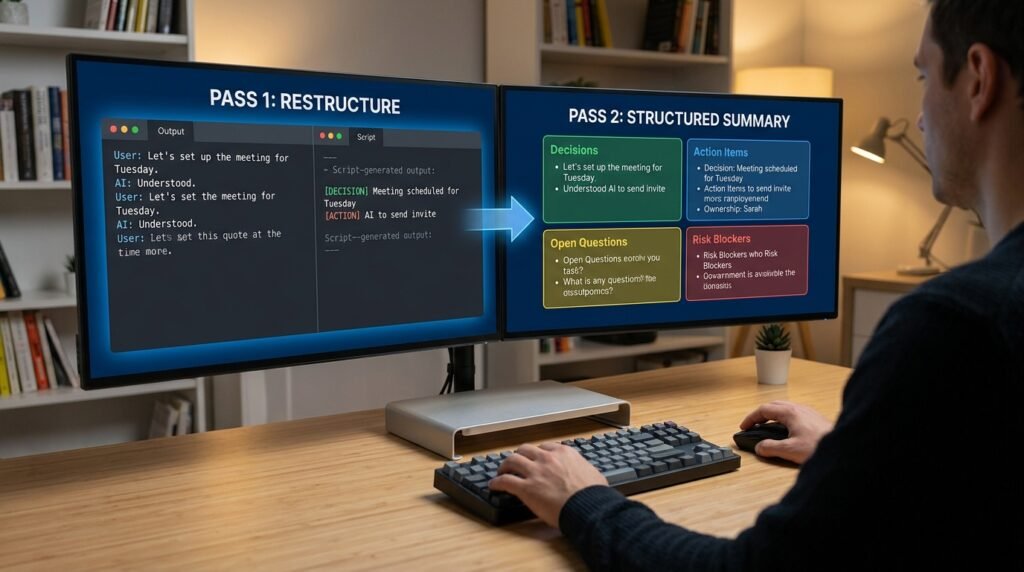
Clean input plus a vague prompt still gives you a vague summary. Ask for the exact buckets you want back.
A structured summary prompt Summarize the notes below into four sections:
1. Decisions made (one line each) 2. Action items, as: Owner / task / due date if stated 3. Open questions not yet resolved 4. Anything flagged as a risk or blocker
Rules: – Use only what’s in the notes. If no due date is stated, write “no date given.” Do not guess one. – Keep each line under 20 words.
Notes: “”” [paste the cleaned transcript] “”” |
The ‘don’t guess a date’ line earns its place. Models love to supply a plausible deadline that was never said. Telling it to write ‘no date given’ instead removes the most common fabricated detail in meeting summaries.
Notice the four sections are fixed buckets, not a freeform ask. When a summary has a labeled place to put each decision and each task, fewer facts slip through the cracks.
A 30-second check before you trust it
I never forward an AI summary without one quick pass.
- Count the action items against your memory of the call. A missing owner is the usual miss.
- Check any date or number against the transcript. Those are what models invent.
- Scan for decisions written as maybes. If it says the team ‘may’ move the launch, confirm whether that was actually settled.
That last one catches the sneakiest error. A model unsure whether something was decided will hedge with ‘may’ or ‘plans to,’ and on a quick skim that reads as fact. Confirming those few words is what keeps a summary trustworthy enough to forward to people who weren’t there.
Questions people actually ask
My tool transcribes and summarizes in one step. Can I still do this?
Sometimes. If the tool lets you edit the transcript before it summarizes, do the cleanup there. If it summarizes automatically with no access to the raw text, you have less room to work, and the fix is to paste the transcript into a separate chat where you can structure it yourself. A lot of built-in summarizers are tuned for speed, not for accuracy on a messy call.
Do timestamps help or hurt?
For a summary, they mostly add noise. Unless you need to cite when something was said, strip them. They cost tokens and tempt the model to organize by time instead of by decision.
How long is too long for one pass?
There’s no fixed line, since it depends on the model’s context window, but a practical rule is that once a transcript runs past roughly 30 to 45 minutes of talk, accuracy on the early part starts slipping. Chunk it then. Check the current limits for your specific tool, because context windows keep growing.
Why does it keep merging two people’s points?
Almost always missing or generic speaker labels. When everyone is ‘Speaker 2,’ the model collapses similar statements into one. Real names fix this more reliably than any clever prompt wording.
Is it even safe to paste a work transcript into an AI tool?
That’s a policy question for your workplace, not a technical one. Before pasting anything from an internal call, check whether your tool is approved for company data and whether the conversation held anything confidential. Many organizations run a sanctioned tool with data protections and block the consumer versions for work content. When in doubt, ask before you paste.
Try this on your next call
Take your next transcript and spend two minutes on three fixes: swap in real names, tag the decisions and actions, and cut the dead air. Run the structured prompt over that. Then compare it against what your one-click summarizer produced from the raw file. The gap between them is the context you’d been losing. Save the cleanup prompt where you can grab it in seconds, and the whole thing becomes a habit instead of a mystery.

Hi I’m Muzammil Haqani. I’m a content creator and AI expert with 3+ years of experience exploring and writing about artificial intelligence and technology. Through this blog, I share tutorials, insights, and practical guides to help readers understand and use AI tools effectively in their everyday lives.